How to Take Clinic Bookings on WhatsApp in Dubai
How to take clinic bookings on WhatsApp in Dubai: set up the Business app properly, use quick replies, and know when to move to a connected booking system.
To take clinic bookings on WhatsApp in Dubai, a clinic needs four things in place: a dedicated business number (not someone’s personal phone), a properly set-up WhatsApp Business profile with its treatments listed, a set of saved quick replies that handle the booking conversation in a consistent way, and one diary that every booking ends up in. You can have the first version of that running this week, free, on the WhatsApp Business app. This guide walks through the setup in order, step by step, with copy-ready messages in English and Arabic — and then shows you the point where the app stops being enough and a connected booking system takes over.
Dubai clinics do not need convincing that patients live on WhatsApp. The enquiries are already arriving. What usually goes wrong is not the channel, it is the setup around it: bookings taken from memory, slots offered that were already gone, conversations scattered across two staff phones, and a patient who messaged at 9pm getting her first reply at 11am the next day — if she still cared.
The short answer: three ways Dubai clinics take bookings on WhatsApp today
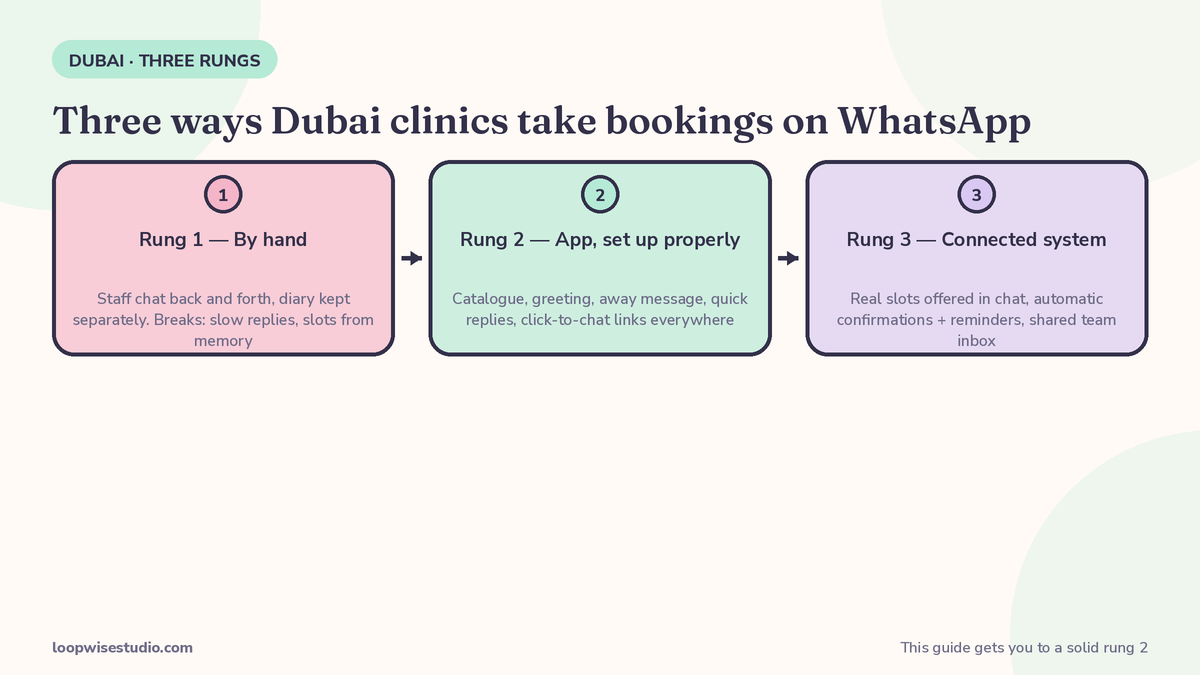
Almost every clinic is on one of these three rungs:
| Rung | How it works | Where it breaks |
|---|---|---|
| 1. By hand | Patients message a number, staff chat back and forth, booking is written in a diary or a separate app | Slow replies, slots offered from memory, double-bookings, nothing after hours |
| 2. App, set up properly | WhatsApp Business app with full profile, treatment catalogue, greeting, away message, quick replies, click-to-chat links everywhere | Still manual slot-checking; one phone, one person at a time; reminders done by hand |
| 3. Connected system | WhatsApp linked to the clinic diary: real slots offered in chat, confirmations and reminders sent automatically, shared inbox for the team | Needs proper setup and a monthly cost — worth it when message volume makes rung 2 creak |
This guide gets you from rung 1 to a solid rung 2. Rung 3 is a different article, on purpose: our page on a WhatsApp booking system for aesthetic clinics in Dubai covers the connected system itself — automated slot offers, the full reminder sequence and the bilingual platform templates. Do not buy rung 3 before rung 2 is tidy; automation only speeds up what is already there, including the mess.
Before you start: four decisions
Twenty minutes of decisions now saves months of confusion later.
1. Which number? The clinic’s bookings should live on a clinic number — one that stays with the business if a receptionist leaves. If bookings currently arrive on the owner’s or a staff member’s personal number, plan the move: publish the new number everywhere (website, Google profile, Instagram, reception signage), and run both numbers in parallel for a month with the old number’s away message pointing patients to the new one.
2. Who owns the inbox? Every conversation needs a named owner on shift — the person who replies, confirms and closes it. “The team checks WhatsApp” means nobody does. Write the rota down, including who covers evenings, even if the evening job is only switching on the away message properly.
3. Where do slots live? One diary is the source of truth: a calendar app, your clinic software, even a well-kept spreadsheet at rung 2. The rule that prevents double-bookings is simple — a slot is never promised in chat until it has been checked in the diary, and it is blocked in the diary before the confirmation message is sent. Step 5 covers the wording that makes this painless.
4. What never goes in chat? WhatsApp is for logistics: times, prices, directions, preparation instructions, confirmations. Clinical detail — diagnosis, suitability decisions, dosage, a worried patient’s symptoms — moves to a call or the consultation, and the patient’s record lives in your clinic system, not in a chat thread. Keep messages free of sensitive detail, and only message patients who have contacted you or agreed to hear from you; marketing blasts without consent are a problem under UAE data-protection law (PDPL) as well as a fast way to get your number reported and restricted by WhatsApp itself.
Step 1: Set up the free WhatsApp Business app properly
Download WhatsApp Business (a separate app from personal WhatsApp) and complete every field. Most clinics stop at the name and photo. Finish the job:
- Business name and category — your clinic’s real trading name, category set to clinic/beauty as appropriate.
- Profile photo — your logo or the clinic frontage, recognisable at thumbnail size.
- Description — one or two lines: what the clinic does, where it is, and the languages you serve. “Aesthetic clinic in JLT. Skin, laser and injectables. English and Arabic.” beats a paragraph of adjectives.
- Address, hours and location pin — exact, so the “share location” you send patients matches reality. Include your closed days; wrong hours create the angriest messages.
- Email and website — link the website if you have one. If your site already takes bookings, link the booking page itself.
- Catalogue — this is the feature clinics ignore and patients love. Add each treatment as a catalogue item with its name, a short plain description, the price or starting price, and the duration. When a patient asks “how much is laser?”, you send the catalogue item — price, duration and description, in one tap, identical every time, instead of a typed-from-memory answer that drifts between staff.
The catalogue also disciplines your pricing. If a treatment cannot be written down with a price and a duration, your front desk is improvising it daily.
Step 2: Write the three messages that do most of the work
At rung 2, three saved messages carry most of the booking traffic. Set the greeting and away message in the app’s Business Tools, and save the booking reply as a quick reply (type its shortcut, like /book, and the full text appears). Here are copy-ready versions — adjust the clinic name, area and details:
Greeting message (sent automatically to new contacts, or after 14 days of no contact):
Hello, and welcome to Noor Clinic, JLT. Tell us the treatment you are interested in and the day that suits you, and we will check the diary for you. For prices and durations, tap the catalogue icon above.
مرحباً بكم في عيادة نور، أبراج بحيرات جميرا. أخبرونا عن العلاج الذي ترغبون به واليوم المناسب لكم، وسنتحقق من المواعيد المتاحة. للاطلاع على الأسعار والمدة، اضغطوا على أيقونة الكتالوج أعلاه.
Away message (sent outside clinic hours — set the schedule to match your real hours):
Thank you for messaging Noor Clinic. We are closed now and reopen at 10am. Leave us the treatment and the day you prefer, and we will confirm your appointment when we open. If this is urgent or you are unwell after a treatment, please call [number].
شكراً لتواصلكم مع عيادة نور. العيادة مغلقة الآن ونفتح الساعة ١٠ صباحاً. اتركوا لنا اسم العلاج واليوم المفضل، وسنؤكد موعدكم عند الافتتاح. في الحالات العاجلة أو عند الشعور بأي أعراض بعد العلاج، يرجى الاتصال على [الرقم].
Booking quick reply (/book) — the workhorse, sent when a patient wants to book:
I can book that for you. The next available appointments for [treatment] with [practitioner] are: [day, time] or [day, time]. The appointment takes about [duration], and the price is [price]. Tell me which time suits you and I will block it in the diary and send your confirmation.
يمكنني حجز ذلك لكم. أقرب المواعيد المتاحة لعلاج [العلاج] مع [الممارس] هي: [اليوم، الوقت] أو [اليوم، الوقت]. مدة الموعد حوالي [المدة]، والسعر [السعر]. أخبروني بالوقت المناسب وسأحجزه لكم في الجدول وأرسل التأكيد.
Two notes on these. First, the away message is not decoration: an enquiry answered by a good away message at 10pm — one that asks for the treatment and day and promises a morning confirmation — keeps the patient in your inbox instead of a competitor’s. An enquiry met with silence is usually gone. Second, add two more quick replies while you are in there: /price (points to the catalogue item plus one line of guidance) and /where (your location pin plus parking note). Five saved replies will cover most of a normal day.
Want to see whether your current setup has the basics? get a free audit — send us your clinic number setup and we will tell you honestly which rung you are on and what the next fix is.
Step 3: Stop offering slots from memory
Double-bookings and diary chaos in WhatsApp clinics almost never come from bad staff. They come from offering times before checking, under pressure to reply fast. Run this discipline instead:
- Check, then offer. The patient asks for Saturday. You check the diary first, then send the /book reply with two or three real slots. Never the other way round.
- Hold with words, not hope. While you wait for her to choose, you are not holding the slot — say so kindly if she takes a while: “These times are open right now; tell me which one and I will block it straight away.” That sentence also creates healthy urgency to reply.
- Block before you confirm. The moment she picks, block the slot in the diary first, then send the confirmation. Confirm-then-block is how two patients end up in the same chair.
- Confirmation is a message with facts, not “ok done”. Treatment, practitioner, day, date, time, duration, price or deposit status, address. The patient screenshots it; your front desk refers to it; there is nothing to argue about later.
- One diary, always. If a booking is taken by phone or at reception, it goes in the same diary immediately. The WhatsApp bookings are only as reliable as the diary underneath them.
Step 4: Put the chat link everywhere patients find you
A tidy inbox earns nothing if patients cannot find it. WhatsApp runs on click-to-chat links: the format is wa.me followed by your number in international format, with no brackets or dashes (for example, wa.me/9715XXXXXXXX). You can also add a pre-filled message to the link, so her first message arrives already saying “I would like to book a HydraFacial” — which saves a round of chat.
Put the link:
- On your website — a visible WhatsApp button on every page, and on each treatment page. If your website has a real booking page, link both: book online directly, or chat. Our page on an online booking website for aesthetic clinics in Dubai covers how the website and the chat share one diary instead of competing.
- On your Google Business Profile — as the chat/booking link, so the patient who finds you on Maps can start a conversation in one tap.
- On Instagram — in the bio link and saved as a Story Highlight (“Book here”), and as the reply your team sends when DMs turn into bookings. Instagram is where the question starts; WhatsApp is where the booking finishes.
- At reception — a QR code (any free QR generator will turn your wa.me link into one) on the desk and the treatment-room door: “Rebook on WhatsApp — scan here.” Rebooking a departing patient is the cheapest booking you will ever take.
- In your confirmation and aftercare messages — so the next booking starts in the same thread.
Step 5: Handle the aesthetic-specific bookings well
Generic booking advice fails in aesthetic clinics because the bookings are not generic. Four flows need their own handling in chat:
Consultation-first treatments. For injectables and anything needing assessment, the chat books a consultation, not the treatment itself — and says so plainly, so the patient does not arrive expecting treatment on the day. “For Botox, the first appointment is a consultation with Dr [name], about 30 minutes. She will assess and plan with you; if treatment goes ahead the same day, we allow time where the diary permits.”
Deposits for long appointments. A two-hour Saturday slot given away by chat and then not used is real money lost. For long or high-value bookings, the flow is: slot offered, patient agrees, deposit link sent (card payment through your usual gateway; instalment options where you offer them), slot confirmed when the deposit lands — and the confirmation message says the deposit and cancellation terms in the same breath, politely and in writing. Deposits asked for vaguely, later, by phone, mostly never arrive.
Preparation and patch-test instructions. The night before is too late for some treatments and perfect for others — schedule these as messages you send when the booking is confirmed and again at the right interval: patch test required 24–48 hours before a first laser or tint appointment, no active tan, stop specific products where your practitioners advise it. Keep instructions factual and treatment-specific, signed off by your clinical team, not copied from the internet.
Package sessions. Laser courses and treatment packages mean the chat has to track counts. The confirmation for a package booking should name the session: “This is session 4 of 6 of your laser package.” When sessions run out, the rebooking message becomes the natural place to discuss the next course — one honest conversation, not a sales blast. A simple note in the patient’s contact name or your CRM (“Laser pkg 4/6”) stops staff promising sessions that were never bought.
Step 6: Know when the app stops being enough
Rung 2 works — until it doesn’t. The honest trigger list:
- More than one person needs the inbox at the same time. The Business app lives on one phone (plus linked devices); a growing clinic needs a shared inbox where any receptionist can pick up any conversation, with names attached.
- Reminders are being sent by hand — or forgotten. Manual reminders die on busy days, which are exactly the days no-shows hurt most. Automated confirmation, reminder and reschedule messages are the platform’s job. The evidence is not hype: a 2011 review of 29 studies, cited by the UAE vendor Zavis, found automated reminders cut missed hospital appointments by 29%; and the WhatsApp platform vendor Go4whatsup publishes aggregated benchmarks across, in its words, roughly 60 clinics and 8 hospital groups on its platform, including a 35–50% median reduction in no-shows on appointment reminders and 97% of utility-template messages opened within 30 minutes. Treat vendor benchmarks as directional, not guaranteed — but the pattern across all of them is the same.
- You are offering slots by hand all day. When chat volume means a receptionist spends her day checking the diary for every enquiry, the diary should be doing the offering: real slots in the chat, booked without staff typing.
- After-hours enquiries are a real share of your bookings. An away message holds a patient until morning; a connected system can complete the booking at night. For clinics whose enquiries peak in the evening, that difference stops being small. The reminder and message mechanics behind that step are the same ones we lay out for UK clinics in our guide to WhatsApp appointment reminders for clinics in the UK — the flow travels; the timings and wording are local.
- You cannot see your numbers. How many enquiries, how many booked, how many no-showed — if those answers need an afternoon of scrolling, you have outgrown the app.
When two or three of these are true, you are shopping for rung 3, and the guide flips: stop optimising the app and get the system set up properly.
The mistakes that lose bookings
- Running the clinic on a personal number. The number leaves when the person does, and so do your patients.
- No away message, or one that fibs. Silence after hours loses patients; an away message promising a 9am reply that comes at noon loses trust.
- Offering slots from memory. Every double-booking starts as a confident guess.
- Clinical advice in chat. Suitability and symptoms belong in consultation. Besides the safety issue, long clinical threads bury the booking conversations the inbox exists for.
- Blasting offers to everyone who ever messaged. Without opt-in, that is a PDPL problem and the fastest route to a restricted number. Promotions go to patients who agreed to receive them.
- Answering price questions with “come in for a consultation” for everything. Patients read it as “expensive and evasive.” Give the price or starting price (your catalogue does this) and save the consultation line for treatments that genuinely need assessment.
- Letting conversations die unnamed. If nobody owns a thread, the patient re-explains herself to three people — or books elsewhere.
Frequently asked questions
Can we keep our existing clinic number when we set this up?
Usually, yes — the number patients already message should become the clinic’s WhatsApp Business number rather than being replaced. If bookings currently live on someone’s personal number, run the move carefully: set up the new clinic number, publish it everywhere, and keep the old number live in parallel for a transition period with an away message pointing patients to the new one. Do not just switch a personal number over without a plan; that number carries a person’s private chats too.
What does the WhatsApp Business Platform cost per message in Dubai?
The Business app itself is free. On the paid Platform, you pay Meta per conversation/template category plus whatever your provider charges. As one published reference point, the platform vendor Go4whatsup states utility templates in the UAE at AED 0.021–0.040 per conversation, with no platform markup on their service. Treat that as an attributed vendor figure and check current Meta rates before budgeting — the point for a clinic is that reminder and confirmation messages cost fils, not dirhams, next to the value of one saved appointment.
Do we need patients’ permission to send reminders on WhatsApp?
Reminders about an appointment the patient booked are part of the service they asked for — send them from the number they booked with, and keep them factual. Marketing messages are different: they need genuine opt-in under UAE data-protection law, and WhatsApp’s own rules require it too. Collect the opt-in at booking (“Shall we message you about offers?”) and record it. Never buy lists, never blast old enquiries without consent.
How do Dubai’s rules affect what we can say in messages?
Two boundaries matter. Clinical: messages handle logistics, not medical advice — no suitability decisions or symptom discussions in chat, and anything clinical moves to a call or consultation. Advertising: health-sector advertising in Dubai is regulated, so results promises and dramatic before-and-after claims do not belong in your messages or catalogue any more than in your ads. Plain, factual, treatment-specific wording keeps you safe on both fronts.
How long does the rung-2 setup in this guide take?
The app setup, catalogue and message writing is a focused half-day of work for most small clinics — an hour for the profile and catalogue, an hour for the greeting, away and quick replies, and an hour putting links and QR codes everywhere. Add a week of staff habit-forming (check-then-offer, block-before-confirm) and the system is running. The connected platform setup in step 6 is a bigger project; we cover its shape in the system page linked above.
What if most of our patients prefer to just call?
Then let them call — and make sure the diary the phone bookings land in is the same diary WhatsApp uses, so the two never collide. Clinics rarely lose phone patients by adding WhatsApp booking; they gain the patients who were never going to call: the evening browsers, the visitors booking from abroad, and the ones who hate phone queues. Both doors, one diary.
Where to go from here
If your clinic is on rung 1, this guide is your next week: set the app up properly, write the three messages, discipline the diary, put the link everywhere. Most clinics feel the difference in reply speed and booking tidiness within days, and it costs nothing but a half-day of setup.
When the triggers in step 6 start to bite — shared inbox, automatic reminders, bookings completed at night — that is the moment to build the connected system rather than to push the app harder. get a free audit and we will look at your current WhatsApp setup with you, tell you which rung you are actually on, and what the next one would fix and cost for your clinic. No obligation, and if rung 2 is genuinely enough for you, we will tell you to stay there.