How Long Does It Take to Build a Salon Booking Website?
Same day, one weekend, or twelve weeks? Salon booking website timelines explained route by route and phase by phase, plus what actually causes delays.
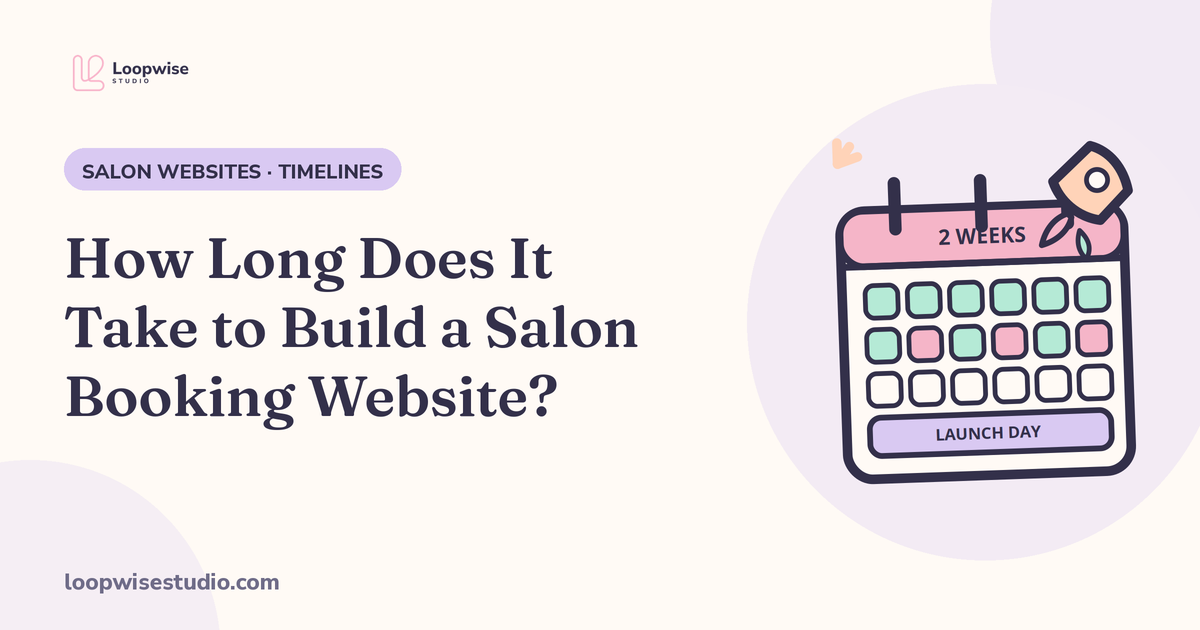
Ask five sources how long a salon booking website takes and you get five answers: same day, one weekend, two to four weeks, six to twelve weeks, and — from one outlier — up to a year. They are all describing different products. A template signup can genuinely be live the same day. A small done-for-you website with real booking, deposits and reminders usually takes two to four weeks of calendar time. A custom-built booking platform takes six to twelve weeks or more. This article separates the four routes, shows what the timeline is actually made of phase by phase, and names the thing that delays salon websites most: not the building, but the waiting.
Four different products hide behind one question
When someone says “booking website”, they can mean four very different things:
- A template account — you sign up with a booking platform, pick a design, type in your services, and your page is live on their domain. No website is really “built”.
- A DIY build — you assemble a site yourself with a website builder and plug in a free scheduler.
- A done-for-you small website — someone designs and builds a site on your own domain, with the booking system, deposit rules and reminder messages set up for you.
- A custom booking system — software built to order: your own calendar logic, staff rosters, multiple locations, memberships, reporting.
Same question, four timelines. Most of the confusion online comes from pages answering for one route while you are shopping for another. If you are also weighing up what each route costs, our breakdown of what a website with online booking costs a clinic or salon covers the money side of the same decision.
The timeline by route, as the sources state it
| Route | Calendar time | Your hours | What you actually get |
|---|---|---|---|
| Template signup (booking platform) | Same day; “a few days to a week” with heavy customisation (GlossGenius FAQ) | A few hours typing in services and prices | Their template, on their domain, booking included |
| DIY weekend build | One weekend; roughly 3–5 hours of build time (AI with Chona playbook) | The whole weekend is yours | A basic builder site + a free scheduler, written and set up by you |
| Software rollout on an existing site | 4 weeks: build, test, soft launch, go public (Abeco guide) | A few hours a week | A booking tool adopted properly — assumes your website already exists |
| Agency-built basic website | 2–4 weeks (IIH Global FAQ) | Feedback rounds, content supply | A designed site on your domain, booking integrated |
| Custom booking platform | 6–12 weeks (IIH Global); 5–8 weeks for a single-location custom system (OwnTechnologies) | Workshops, decisions, testing | Software built to your exact rules |
| Custom multi-location system | 10–16 weeks (OwnTechnologies) | More of everything | Rosters, deposits, multiple branches |
A few notes on those numbers, because the details matter:
- “Same day” means signup day. GlossGenius’s FAQ says most beauty businesses can be “up and running the same day” they sign up using designer templates, and that more complex sites take “a few days to a week”. That is honest — for what it describes. Nothing is designed for you, written for you or tested beyond the template. It is a page on their system, not a finished website with your content, your prices explained properly and your booking rules thought through.
- The weekend build is real, and narrow. The AI with Chona playbook builds a salon site on a template builder plus Square Appointments’ free plan, and puts the build itself at roughly 3–5 hours. It works because it skips design, copywriting, testing and reminder setup entirely — the owner does the filling-in, and “done” means the template is populated.
- The 6-months-to-a-year figure is an outlier. One WordPress tutorial (InstaWP) claims a complex professional build can take “6 months to 1 year or even more”. Nothing else on the results page comes close, and that figure describes large, heavily coordinated projects. If anyone quotes you a year for a salon website, they are quoting a different product — walk away.
- Nobody above is lying. The ranges only look contradictory because the products differ. Scope decides the timeline far more than technology does — which is the one point every source agrees on.
What the timeline is actually made of
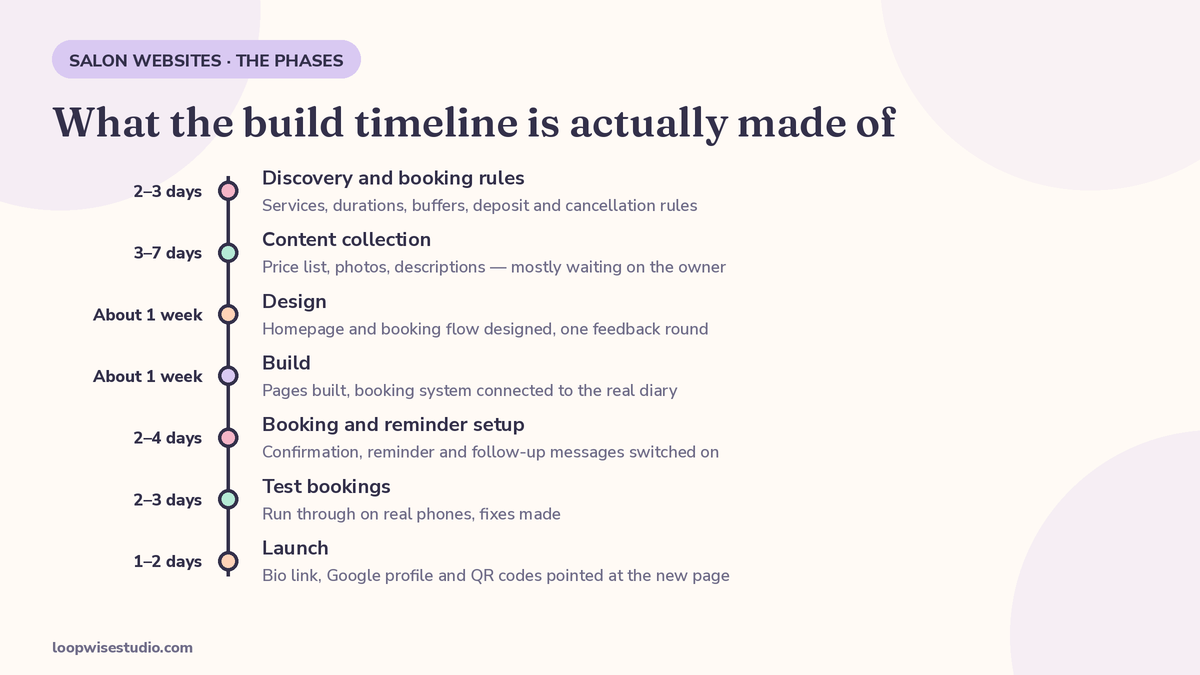
No source on the results page breaks the build down by phase — agencies price their phases (one UK agency, IIH Global, prices planning, design, development and booking integration separately) but never say how long each one takes. So here is a phase breakdown for the done-for-you route, the one most salon owners asking this question actually mean. These are our working phases and typical timings for a small salon site:
| Phase | Typical time | What is happening |
|---|---|---|
| 1. Discovery and booking rules | 2–3 days | Services, durations, buffers, deposit and cancellation rules decided |
| 2. Content collection | 3–7 days of calendar time | Price list, photos, service descriptions gathered — mostly waiting on the owner |
| 3. Design | About 1 week | Homepage and booking flow designed, one feedback round |
| 4. Build | About 1 week | Pages built, booking system connected to the real diary |
| 5. Booking and reminder setup | 2–4 days | Confirmation, reminder and follow-up messages written and switched on |
| 6. Test bookings | 2–3 days | Test appointments run through on real phones, fixes made |
| 7. Launch | 1–2 days | Bio link, Google Business Profile and QR codes pointed at the new page |
Add it up and the actual working time is roughly two weeks. The calendar time is three to four, because phases 2 and the feedback in phase 3 run on the owner’s schedule, not the builder’s. That gap between working time and calendar time is the single most useful thing to understand about website timelines: your site is rarely being built slowly. It is usually waiting — for prices, for photos, for a decision.
The five things that actually delay a salon website
- No finished price list. The site cannot be written around services you have not priced yet. This is the most common stall, and it happens before any design starts.
- Photos that do not exist yet. “We’ll take some this weekend” can quietly add a fortnight. Phone photos of real work are fine — waiting for a professional shoot usually is not worth it at this size.
- Feedback in drips. One comment a day for two weeks stretches a one-week design phase into three. One batched round of feedback — everything in a single message — keeps it to days.
- Access problems. The domain is registered to an old email address, the Google Business Profile is owned by an ex-employee, the Instagram login is on a former manager’s phone. Sorting access can take longer than building a page.
- Booking rules nobody has decided. Deposits or not? How much? What cancellation window? Which stylist takes which service, and how long does a full head of foils really take in your salon? The site cannot answer these for you, and undecided rules freeze the booking setup phase completely.
Every one of these is an owner-side delay, which is good news: they are all fixable before the project starts, with a single afternoon of preparation.
Not sure whether your current setup is losing you bookings while you decide? get a free audit and we will tell you honestly what we find — including if the answer is “what you have is fine for now”.
How to be live in two to three weeks: the sequence
If speed matters more than perfection, this is the order that works:
Step 1 — Decide the booking rules before anyone builds anything. Services, durations, deposits, cancellation window. One sitting, written down.
Step 2 — Send everything in one go. Price list, photos, logo files, logins, domain access. One folder, one message. This single habit removes the biggest delay in the table above.
Step 3 — Approve the design once, properly. Look at it on your phone (that is where your clients will see it), collect every comment, send them together.
Step 4 — Test-book yourself. Book a haircut as a client, on your phone, with your own card for the deposit. Then cancel it and check the reminder messages you received. Ten minutes that catch most launch-day problems.
Step 5 — Soft-launch to existing clients first. Booking software company Abeco’s rollout plan uses exactly this pattern: a quiet week where regulars get the link before it goes public. Put a QR code on the desk, send the link to your client list, fix anything that confuses people — then swap the Instagram bio link and Google profile over. Your old way of taking bookings keeps running until the new one is proven, so there is no gap in the diary.
DIY weekend vs done-for-you weeks: what the weekend leaves out
The weekend build is a legitimate starting point, and plenty of salons begin there. Just be clear about what “done in a weekend” excludes:
- Design judgement — a template filled in, not a page arranged around how clients actually choose a salon
- Your copy written for you — service descriptions that answer the questions clients ask, written at midnight by a tired owner, usually means “DM for prices” creeping back in
- The reminder sequence set up properly — confirmation, reminder and no-show follow-up messages with your wording and your policy, not the platform defaults
- Testing on real phones — the booking flow checked the way clients will use it
- The launch wiring — Google Business Profile, Instagram bio, QR codes, client announcement
If you are choosing software at the same time as the site, our comparison of the best booking software for a small aesthetic clinic owner operator applies to solo salons too — the same trade-offs between simple tools and heavy systems. And if you are a one-person operation, the timeline maths is different again: a website for a one-person aesthetic clinic has fewer pages and fewer rules to decide, which is why solo builds sit at the fast end of every range above.
The short version
- Template signup: live today, but it is their page, not your website.
- DIY build: a weekend, if you do everything and skip design, copy and testing.
- Done-for-you small site: two to four weeks of calendar time, roughly two of them working time — and you control most of the difference by sending content and feedback fast.
- Custom system: six weeks and up, and almost no single salon needs one.
If a timeline quote does not tell you which of those four products it refers to, it is not a real answer yet.
Frequently asked questions
Can a salon booking website really be finished in a day?
A template account can be live in a day — booking platforms say so themselves. A finished website — your content, your prices explained, your deposit rules, the booking flow tested on a phone — cannot. When someone promises “a website in a day”, ask which of those two things they mean.
Why do some agencies quote six to twelve weeks?
Because they are quoting a custom booking platform: software built to order. Agencies put a basic salon website at two to four weeks; the six-to-twelve-week range is for custom systems with integrations and multiple locations. For a single salon, the longer quote usually means you are being sold the bigger product.
What do you need from me, and when?
Four things, ideally before the build starts: your final price list, photos of your work and the salon, access (domain, Google Business Profile, Instagram), and your booking rules — deposits, cancellation window, service durations. The owners who supply these in one go are the ones who launch in two to three weeks.
Does the choice of booking software change the timeline?
A little. Connecting an existing booking platform to a new site is days of work. Moving your whole diary from one platform to another — importing clients, re-creating services, re-training yourself — adds a week or so and is best done as a soft launch, regulars first.
Will I have to stop taking bookings while the site is built?
No. Your current way of booking — DMs, phone, walk-ins, your existing platform — keeps running until launch day. The new page is built and tested alongside it, then the links swap over. There should never be a day when clients cannot book you.
Can I launch before everything is perfect?
Yes, and you should. Launch with the core treatments, correct prices and a working booking flow; add the gallery page and the extras in week two. A live page taking bookings beats a perfect page that is still “nearly ready” — the soft-launch pattern exists precisely so real clients test the last 10% for you.
Ready to stop guessing at timelines? get a free audit — tell us what you want the site to do, and we will give you a straight answer on how long yours would actually take.